Visual Communication in Action: The Power of the Call Center Service Line Icons Bundle
In today’s fast-paced digital landscape, the ability to communicate complex ideas instantly is a superpower. Whether you are designing a mobile application, building a corporate website, or preparing a high-stakes presentation, the visual elements you choose play a critical role in how your message is received. Among the most vital components of modern business communication is the call center or customer service interface. To make these interfaces intuitive and effective, designers rely on high-quality iconography. This is where the 10 Call Center Service Line Icons Bundle becomes an indispensable asset.
Understanding the Role of Visual Semiotics
Before diving into the specific utility of this bundle, it is essential to understand the concept of visual semiotics—the study of signs and symbols. Icons are not just pretty pictures; they are a universal language. When a user sees a handset with an arrow pointing out, they instantly recognize it as an "Outgoing Call" without needing to read a word. This cognitive shortcut reduces mental load and speeds up user interaction.
The 10 Call Center Service Line Icons Bundle is designed specifically to leverage this cognitive ease. It is a curated collection of vector graphics that represent the core functions and status indicators of a call center environment. By utilizing these icons, designers bridge the gap between complex software functionality and user-friendly navigation.
Deep Dive into the Iconography
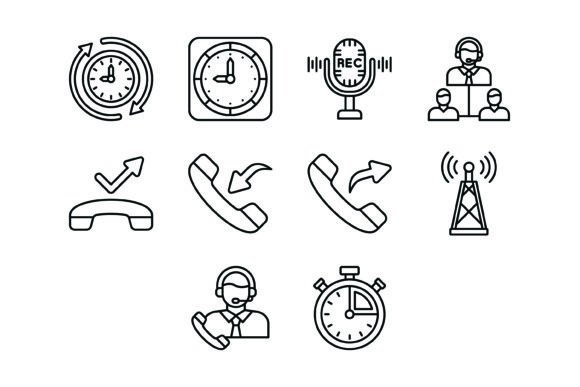
The bundle includes ten distinct icons, each serving a specific purpose in the narrative of customer service operations. Let us explore the significance of each visual element and how they translate into practical application.
1. The Hours Icon
The Hours Icon is typically used to indicate the operating schedule of a business. In a call center context, this is crucial for managing customer expectations. When placed on a "Contact Us" page, it visually signals availability, helping users know exactly when agents are online. It reduces frustration by preventing users from calling during off-hours.
2. The Wall Clock Icon
While similar to the Hours Icon, the Wall Clock Icon often represents time management or the duration of a service. It can be used in dashboards to track how long a shift has lasted or how long customers have been waiting in a queue. It is a universal symbol for the passage of time, essential for efficiency metrics.
3. The Recording Icon
Transparency is key in customer service. The Recording Icon (often depicted as a microphone or a cassette tape) informs users that calls are being recorded for quality assurance or training purposes. This is not just a design choice but often a legal requirement. A clear icon here ensures compliance and builds trust with the customer.
4. The Supervisor Icon
In a call center hierarchy, escalation is sometimes necessary. The Supervisor Icon visually represents the option to speak to a manager or a team lead. This icon is vital for user experience (UX) when a customer feels their issue isn't being resolved by the automated system or the first agent they encounter. It offers a visual "escape hatch" for complex problems.
5. The Missed Call Icon
Feedback loops are essential in telecommunications. The Missed Call Icon alerts agents or users to unanswered calls. In a CRM (Customer Relationship Management) interface, this icon highlights opportunities for follow-up, ensuring that potential leads or urgent customer queries do not fall through the cracks.
6. The Incoming Call Icon
The Incoming Call Icon is the heartbeat of any contact center. Visually represented by an arrow pointing toward a handset, it signals new opportunities and active engagement. On a dashboard, this icon helps agents prioritize their workflow, indicating that a live connection is waiting.
7. The Outgoing Call Icon
Conversely, the Outgoing Call Icon represents proactive outreach. Whether used in sales software or customer support logs, this icon indicates that an agent is initiating contact. It is a symbol of productivity and active customer relationship management.
8. The Radio Antenna Icon
Connectivity is the foundation of call centers. The Radio Antenna Icon symbolizes signal strength and network availability. It is particularly useful in mobile apps to indicate whether an agent is connected to the VoIP (Voice over Internet Protocol) system or if there are network issues affecting call quality.
9. The Customer Service Icon
This is often the flagship icon of the bundle. The Customer Service Icon usually depicts a headset worn by a human figure or a headset alone. It is the universal symbol for "Support." Placing this on a website’s navigation bar immediately tells visitors where to go for help, serving as the digital equivalent of a helpful store clerk.
10. The Stopwatch Icon
Efficiency is the metric of success in call centers. The Stopwatch Icon represents speed, response time, and resolution metrics. It is frequently used in analytics sections of software to display Average Handle Time (AHT) or First Response Time (FRT). It visually communicates the concept of urgency and performance.
Technical Excellence: File Formats and Versatility
A beautiful icon is useless if it cannot be implemented across different platforms. This is why the 10 Call Center Service Line Icons Bundle is packaged with versatility in mind. The bundle includes a Zip file containing five different formats: AI, EPS, JPG, PNG, and SVG.
- AI and EPS (Vector Formats): These are scalable vector graphics files. They are essential for designers who need to edit the icons in Adobe Illustrator. You can resize a vector icon from the size of a stamp to the size of a billboard without losing a single pixel of quality. This ensures that your icons look crisp on high-resolution displays (Retina screens) and large format prints.
- SVG (Scalable Vector Graphics): This is the preferred format for web development. SVG files are code-based, meaning they load incredibly fast and can be manipulated with CSS. Developers can change the color, size, and even animate the icons using simple code, making them perfect for responsive web design.
- PNG (Portable Network Graphics): The bundle includes PNGs with a transparent background. This is crucial for layering icons over images or colored backgrounds without having an ugly white box around them. PNGs are raster images, making them easy to drag and drop into PowerPoint presentations or Word documents.
- JPG (Joint Photographic Experts Group): While JPGs do not support transparency, they are universally compatible with virtually every device and browser. They are useful for quick previews or contexts where file size needs to be managed without the need for editing.
Practical Application in Modern Business
How does this bundle fit into the daily grind of modern professionals? The applications are vast and varied.
Mobile App Development
For UI/UX designers building a mobile app for a service like Uber, DoorDash, or a doctor’s office, these icons are gold. The Stopwatch Icon can track delivery time; the Customer Service Icon can be the button to chat with support. Because the icons are designed for "maximum usability," they ensure that touch targets are clear and recognizable on small screens.
Corporate Presentations and Reports
Imagine you are a call center manager presenting quarterly results. Instead of using generic clip art, you use the 10 Call Center Service Line Icons Bundle. You use the Incoming Call Icon to show volume trends and the Supervisor Icon to discuss escalation rates. This elevates the visual quality of your presentation, making you look more professional and your data easier to digest.
Website User Experience
For e-commerce sites, customer trust is paramount. Using the Recording Icon near the checkout or the Hours Icon in the footer provides immediate reassurance. It tells the customer, "We are transparent about our processes and available to help you." This semantic clarity can actually reduce cart abandonment rates.
The "Line" Style Aesthetic
The specific style of these icons—"Line" or "Outline"—is a deliberate design choice that aligns with current trends. Flat, filled icons can sometimes look heavy or dated. Line icons, however, offer a modern, minimalist, and airy feel. They integrate seamlessly into clean web designs without overwhelming the text content. They are sophisticated and professional, suitable for corporate environments as well as creative startups.
Addressing Common Misconceptions
A common assumption among beginners is that all icons are created equal. This is false. Many free icons found on the web have inconsistent stroke weights (some lines are thick, some are thin) or misaligned pixels. This bundle boasts 100 vector icons (referring to the quality and consistency of the set) designed for consistency. When you use a professional bundle, you ensure that the Hours Icon looks like it belongs in the same family as the Radio Antenna Icon. This visual consistency is what separates amateur designs from professional user interfaces.
Conclusion
The 10 Call Center Service Line Icons Bundle is more than just a set of images; it is a toolkit for effective communication. By covering the essential touchpoints of customer service—from the Missed Call to the Supervisor, and from the Wall Clock to the Stopwatch—this bundle equips creators with the visual vocabulary needed to build intuitive, trustworthy, and efficient digital experiences. Whether you are a developer, a designer, or a business owner, integrating these icons into your workflow will undoubtedly enhance the clarity and professionalism of your projects.