Check Glyph Icon: Evaluating a Versatile Vector Asset for Your Design Projects
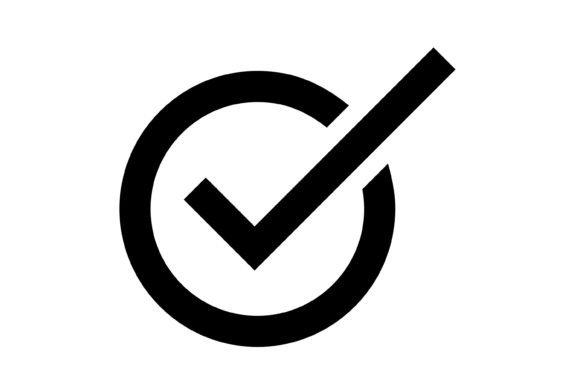
In the world of digital design, visual communication relies heavily on clear, recognizable symbols. The check glyph icon, a fundamental element in user interfaces and graphic design, serves as a universal indicator of confirmation, completion, or correctness. When evaluating a new asset like the Check Glyph Icon set, understanding its composition, capabilities, and ideal use cases is essential for making an informed decision. This article provides a practical assessment of this icon resource, helping you determine if it aligns with your project requirements.
Understanding the Asset: What the Check Glyph Icon Set Includes
The Check Glyph Icon is not a single file but a comprehensive package delivered in a compressed ZIP archive. This archive contains the icon artwork in five distinct file formats: AI (Adobe Illustrator), EPS (Encapsulated PostScript), JPG (Joint Photographic Experts Group), PNG (Portable Network Graphics with a transparent background), and SVG (Scalable Vector Graphics). Each format serves a specific purpose in the design and development workflow.
The AI and EPS files are vector-based, meaning the icon artwork is constructed using mathematical paths rather than pixels. This is the primary source file, allowing for infinite scalability without loss of quality. You can resize the icon from a tiny mobile button to a large billboard graphic, and the edges will remain perfectly crisp. The JPG format provides a rasterized, or pixel-based, version suitable for situations where a simple, lossy-compressed image is sufficient, though it lacks transparency. The PNG format is crucial for web and app design, offering a raster image with a transparent background that can be layered over any color or pattern. Finally, the SVG format is the modern standard for web graphics, as it is lightweight, scalable, and can be manipulated with code for animations or color changes.
A key feature highlighted is that the set contains 100 vector icons. This suggests it is not merely a single checkmark but a curated collection, likely featuring variations in style (e.g., outline, filled, rounded, square) and context (e.g., checkmark in a circle, square, or alone). This variety is important for maintaining visual consistency across a project while offering design flexibility.
Practical Applications: Where This Icon Set Shines
The utility of a graphic asset is defined by its compatibility and performance across different media. The Check Glyph Icon set is explicitly designed for broad application. Its format suite makes it a strong candidate for projects that span multiple platforms. For instance, a mobile application developer can use the SVG or PNG files for the app interface, while a marketing team can use the same source icon (from the AI file) to create print brochures or presentation slides. This cross-platform readiness eliminates the need to source or redraw the same symbol for different departments, fostering brand consistency.
The transparent background of the PNG and SVG files is a non-negotiable feature for modern UI/UX design. It allows the icon to sit seamlessly on top of any website background, app screen, or colored button without an unsightly white box surrounding it. This is particularly vital for creating clean, professional-looking user interfaces, status indicators in forms, or interactive elements in presentations.
For designers who value efficiency, the "ready to use" claim is significant. If the icons are well-organized and logically named, they can be integrated into a design system or development project with minimal preprocessing. This saves valuable time compared to creating icons from scratch or cleaning up poorly formatted assets.
Benefits and Tradeoffs: A Balanced View
The primary benefit of this asset is its vector foundation. Scalability ensures longevity; as screen resolutions increase and design trends evolve, a vector icon can be adapted without starting over. The inclusion of multiple formats in a single package offers excellent value and convenience, catering to both designers (AI/EPS) and developers (SVG/PNG). The focus on maximum usability implies that each icon has been crafted with clarity and legibility in mind at small sizes, which is critical for mobile apps and dense user interfaces.
However, potential tradeoffs and considerations exist. The "100 vector icons" number could be a benefit or a limitation, depending on your needs. For a project requiring only a single checkmark, it might be more than necessary. For a large design system requiring hundreds of icons, it might be just one part of a larger library. You should evaluate whether the stylistic variations within the set match your project's established visual language.
Another consideration is editability. While the vector files (AI, EPS, SVG) are easy to edit in theory, the actual ease depends on how the artwork is constructed. Simple, well-labeled paths are easier to modify than complex, ungrouped shapes. Before purchasing, if possible, review the file structure or look for previews that demonstrate the editing process.
Making the Decision: Is This Icon Set Right for You?
To determine if the Check Glyph Icon set is a good fit, align its features with your project's specific demands.
It is likely a strong fit if:
- Your project requires a consistent checkmark symbol across print, web, and mobile platforms.
- You need high-quality, scalable vector artwork that will not pixelate on high-DPI screens.
- Transparent backgrounds are essential for your web or app design workflow.
- You value having a source file (AI/EPS) for deep customization and future edits.
- You are looking for a pre-made asset to accelerate your design process rather than creating an icon from scratch.
You may want to consider alternatives if:
- Your project requires a very specific, unique checkmark style that is not represented in the 100-icon set.
- You are working within a strictly constrained budget and only need a single, simple icon, making a larger set less cost-effective.
- Your workflow is entirely code-based, and you require icons as an integrated font file (like an icon font) or a dedicated SVG sprite sheet, which this ZIP package does not explicitly mention.
- You need icons with built-in accessibility features, such as specific ARIA labels, which are not part of the graphic file itself.
In conclusion, the Check Glyph Icon set presents itself as a versatile, multi-format resource centered on a fundamental design element. Its value is rooted in its vector scalability and cross-platform file inclusion, making it a practical tool for designers and teams working across diverse media. By carefully evaluating the stylistic range of the 100 icons and confirming that the file formats integrate smoothly into your existing tools and workflow, you can make a practical decision on whether this asset will serve your goals effectively.